Export to blob storage
- HobbyNot Available
- CoreNot Available
- ProTeams Add-on required
- EnterpriseAvailable
- Self HostedAvailable
Overview
Schedule exports to Amazon S3, S3-compatible storage, Google Cloud Storage, or Azure Blob Storage every 20 minutes, hourly, daily, or weekly.
Configure the export
Create the integration
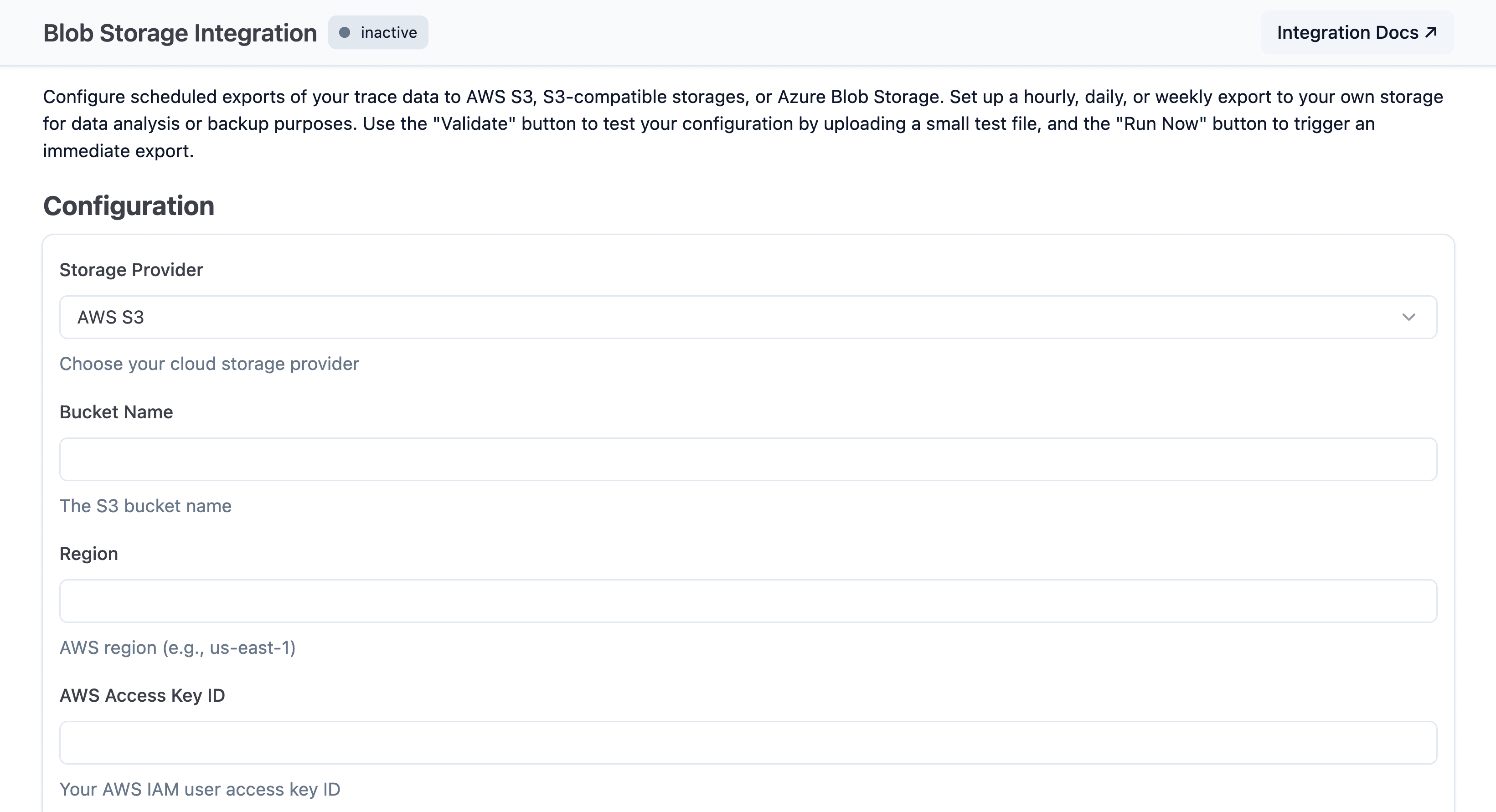
- Open Project Settings > Integrations > Blob Storage.
- Select your provider and enter its bucket, path, and credentials.
- Choose the file format, schedule, history, and field groups.
- Enable the integration and save. The first run starts shortly afterward.
| Setting | Choices and behavior |
|---|---|
| Provider and access | Amazon S3, S3-compatible storage, Google Cloud Storage, or Azure Blob Storage. |
| Format | Parquet (default), CSV, JSON, or JSONL. Text formats can be gzip-compressed; Parquet uses its own encoding and compression. |
| Schedule | Every 20 minutes, hourly, daily, or weekly. Each run exports one time window. |
| History | Full history starts at the project's earliest data; From setup date starts when the integration is enabled; From custom date starts at a selected date. Changing this setting resets the sync position and re-scans from that point. |
Parquet notes
- Observation files omit
input_price,output_price, andtotal_price. Usecost_detailsandtotal_cost; trace and score fields are unaffected. - On self-hosted ClickHouse older than 25.11, upgrade ClickHouse or use CSV, JSON, or JSONL because incomplete Parquet output may not be reported.
Use Validate before saving to check that Langfuse can access the target with the supplied credentials. The integration then writes all output beneath the configured prefix without changing other objects in the bucket.
Langfuse writes exports to your bucket using this structure:
{prefix}{project-id}/
├── observations_v2/
│   └── {timestamp}.{parquet|json|jsonl|csv}[.gz]
├── scores/
│   └── {timestamp}.{parquet|json|jsonl|csv}[.gz]
└── manifests/
    └── {timestamp}.json
Field selection
Observation columns are configurable; score columns are fixed.
New integrations select all eleven field groups. core is required; disable other groups to reduce file size or omit sensitive data.
| Group | Fields |
|---|---|
core | end_time, id, parent_observation_id, project_id, start_time, trace_id, type |
basic | bookmarked, environment, is_root_observation, level, name, public, session_id, status_message, user_id, version |
time | completion_start_time, created_at, updated_at |
io | input, output |
metadata | metadata |
model | input_price, model_id, model_parameters, output_price, provided_model_name, total_price |
usage | cost_details, total_cost, usage_details, usage_pricing_tier_id, usage_pricing_tier_name |
prompt | prompt_id, prompt_name, prompt_version |
metrics | latency, time_to_first_token |
trace_context | release, tags, trace_name |
tools | tool_call_names, tool_calls, tool_definitions |
Changes apply only to future exports. See the observation field reference for types and descriptions.
Scores are always exported and their fields cannot be selected.
| Category | Fields |
|---|---|
| Identity | id, project_id, timestamp, created_at, updated_at |
| Context and links | trace_id, observation_id, session_id, dataset_run_id, environment |
| Score | name, data_type, value, string_value, source, comment |
See the score field reference for types and descriptions.
Configure through the API
Use the public endpoint to read or update the integration:
GET /api/public/integrations/blob-storage
PUT /api/public/integrations/blob-storage
On PUT, exportFieldGroups must include core; omit the property to keep the current selection. compressed applies only to CSV, JSON, and JSONL.
See the REST API reference for authentication, provider settings, and the complete schema.
Process exports
Use each run's manifest as the unit of work.
Know when an export is complete
A run is complete only when its manifest exists at {prefix}{project-id}/manifests/{timestamp}.json. Langfuse writes it after every data file uploads successfully.
If an upload fails, no manifest is written. The run is retried and any data objects under the same keys are overwritten.
When a manifest appears:
- Read
files[]. - Fetch every full object key in
files[].key. Do not derive filenames or list table directories. - Deduplicate records by ID because adjacent export windows share an inclusive boundary.
| Field | Purpose |
|---|---|
window | Inclusive minTimestamp and maxTimestamp for the run |
exportSource, tables | Export source and tables included |
files[] | Object key, table, format, compression, uploaded size, and row count for each data file |
For Parquet, files[].rowCount is null; inspect the file metadata when you need a count. Ignore unknown manifest fields so additive changes do not break your parser.
Trigger your pipeline
Subscribe to object-created events filtered to {prefix}{project-id}/manifests/, then fetch the manifest and process each files[].key.
- Amazon S3: S3 Event Notifications or EventBridge
- Google Cloud Storage: Pub/Sub notifications for
OBJECT_FINALIZE - Azure Blob Storage: Event Grid for
Microsoft.Storage.BlobCreated - MinIO: bucket notifications
- Backblaze B2: event notifications
If your S3-compatible provider has no object-created events, poll the manifest prefix and checkpoint the latest processed key. Manifest names sort by export timestamp.
Make manifest processing idempotent. Provider events can be delivered more than once, and a catch-up can create several manifests close together.
Troubleshooting
- Export timing, backfills, and retries — Understand delays, catch-up bursts, failed runs, and retry behavior.
- Empty export files — Learn why files can be empty and how pipelines should handle them.
- Configuration changes, errors, and re-exporting — Validate changes, clear sticky errors, or export historic data again.
Upgrade a legacy export
Complete this upgrade if your integration uses Traces and observations
(legacy) or your bucket receives traces/ and observations/ files. On
Langfuse Cloud, remaining legacy exports switch at the v4 cutover. On
self-hosted v4, the legacy source stops producing data after the server
switches to events_only.
Switch to enriched observations
Most integrations can switch directly once their consumer supports the enriched layout:
On self-hosted Langfuse v4, first switch the server to dual write mode with the Langfuse v4 preview enabled and complete the historic data migration.
Enriched export sources are unavailable in legacy mode or when the Langfuse v4 preview is disabled. Switch the integration before the server's events_only cutover.
- Prepare the new consumer. Process
observations_v2/andscores/from each manifest'sfiles[].key. Use the enriched field reference. - Switch the export. Select Enriched observations (recommended).
- Verify and retire legacy. Process the next completed export with the new consumer. After it succeeds, retire the consumer that reads
traces/andobservations/.
Optional: keep both layouts during the cutover.
If your pipeline cannot tolerate a cutover gap, temporarily select Traces and observations (legacy) and enriched observations after step 1.
This writes observations/ and observations_v2/ for subsequent windows only; it does not backfill earlier exports. Run both consumers until the new one is validated, then continue with step 2.
Do not load both observation layouts into the same production dataset. Check the export compatibility matrix if this option is unavailable.
Cutover checks
- All deployments:
traces/andobservations/stop receiving files after the switch, including empty files. Usemanifests/as the run-completion signal. - Langfuse Cloud: Ignore
DEPRECATION_NOTICE.txtwhen processing exports; it is not part of a run. - Self-hosted Langfuse v4: Optional dual-layout validation is available only during
dualwrite mode with the Langfuse v4 preview enabled.
Last edited


